LOGIN
  • Post to the EFV-8 Forum
  • Post Classified Ads
  • Shop the Online Store
User Login

Not Registered Yet? Click Here to Sign Up!


(Forgot your Password?)
Remember me on this computer

Not registered yet?
REGISTER NOW!

Back to Home Page Show Forum Rules

Early Ford V-8 Club Forum

FORUM RULES: Users agree to these Rules when using Forum.

The site administrator reserves the right to change the terms and conditions of the user agreement without prior notice to the user. It is the responsibility of the user to regularly review the terms of this agreement.

The user agrees to the following terms:

  1. All information that you provide to us for your membership is correct.
  2. You will not use your membership to spam, harrass, or exploit other members in any way.
  3. Vulgar, Abusive, Racist and Sexist Language will not be tolerated.
  4. Commercial-type sales postings will not be allowed.
  5. No mass posting or flooding of the boards is allowed.
  6. No Advertising of parts or cars; no Ebay or business/commercial ads (please use the "Classified" for ads Wanted or For Sale).
  7. VIEWING MULTIPLE TOPICS ON SCREEN: You can choose to see more than 10 Topics at a time ... Log In and choose "Preferences" from the top bar on the Forum page. Scroll down and Change the "Default Topics Returned" parameter to 25 or 50, and save the changes. Since this setting is stored in your browser 'cookies' (if enabled), it seems to use that stored value even if you are not logged in. So, if you use a PC that you haven't logged into the forum from, the setting still seem to remain at the default.
  8. EXTERNAL PHOTO LINKS ON FORUM: You can still use external photo links in your posts on the new forum. They follow the rules of any link in that they have to have the URL link qualified down to the full image file name (example: .jpg). The links will open in a new browser window, the same as an uploaded image attached to a post. Since an image attachment to any post does not display inline with the post, the results are the same. You can use multiple external links within a post. This link is from photos on a site from Don Clink's 'Deuce@75' albums:

    http://donclink.com/deuce_75_1/images/dscn2950.jpg

    Using links from photo sites such as Photobucket can help in "size" issue with uploaded attachment files. For best viewing in web browsers, photos should be around the 800x600 pixel range, and probably not more than 1024x768. Most cameras today store HUGE jpg image files, as the default settings are in the 7, 8, 10, and 12Mb image sizes. The image files that are then attached are very large, and the browser can't display the full image size without using the scroll bars. Use the re-sizing functions of your photo editing software to reduce the image to 800x600, which reduces the file sixe and the image load time in the browser. Don uses Google's free Picassa3 software, which is an excellent photo management product. All of the photo albums of the Deuce, Grand National, and Auburn that are links on the NORG site were built using Picassa's web creation functions. And it's free? (THANKS to Don Clink for the info!)
  9. HOW DO I SHOW MY EMAIL ADDRESS ALONG WITH MY USERNAME? You can LogIn on the Forum, and select PREFERENCES. On this page Members can add optional information such as their City,State, Country; Occupation; Hobbies: list a Homepage; list AOL Instant Messanger Handle; Signature; "Make Email Address viewable to others;" and even change the number of Default Topics shown on a page. WHEN others click on your profile, they will see this information.

EFV-8 Club Forum / General Ford Discussion / 37 ford radio wiring

   Reply to this DiscussionReply to Discussion | Start new discussionNew Discussion << previous || next >> 
Posted By Discussion Topic: 37 ford radio wiring -- page: 1 2

Printer-friendly Version  send this discussion to a friend  new posts last

jakes
04-30-2019 @ 4:46 AM
Member
Posts: 35
Joined: Feb 2018
          
I am installing a radio in my 37 ford club cabriolet and would appreciate it if someone could provide information on how to wire it. The radio control wires from the replacement radio have been cut and the toggle switch (in glove box) is missing. I also have a Philco 816 box which does have one black wire. I could not find any wiring diagrams on the web, and am not quite sure about where the power goes to. Thanks for any information that you can provide.
Jakes

1937sedandelivery
04-30-2019 @ 6:43 PM
Senior
Posts: 501
Joined: Jul 2014
          
Jakes,
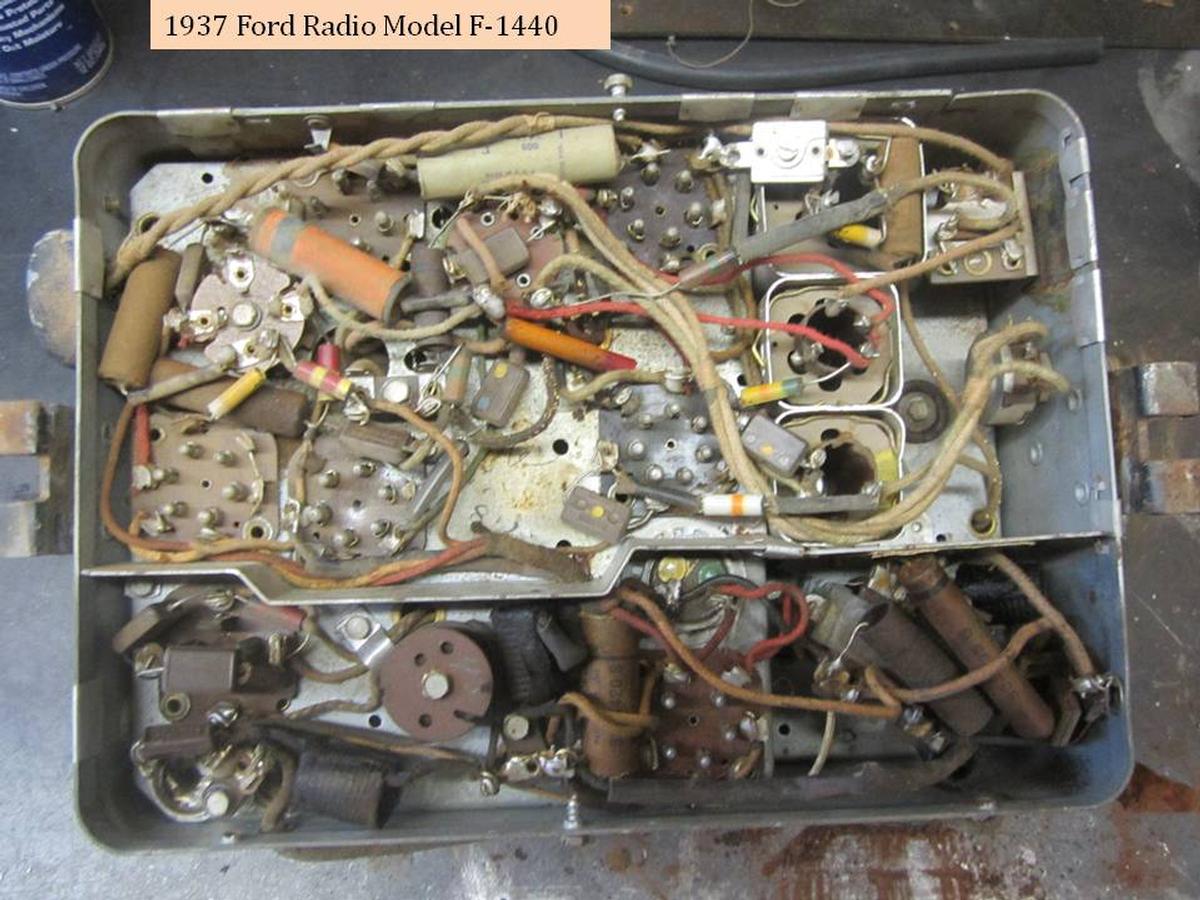
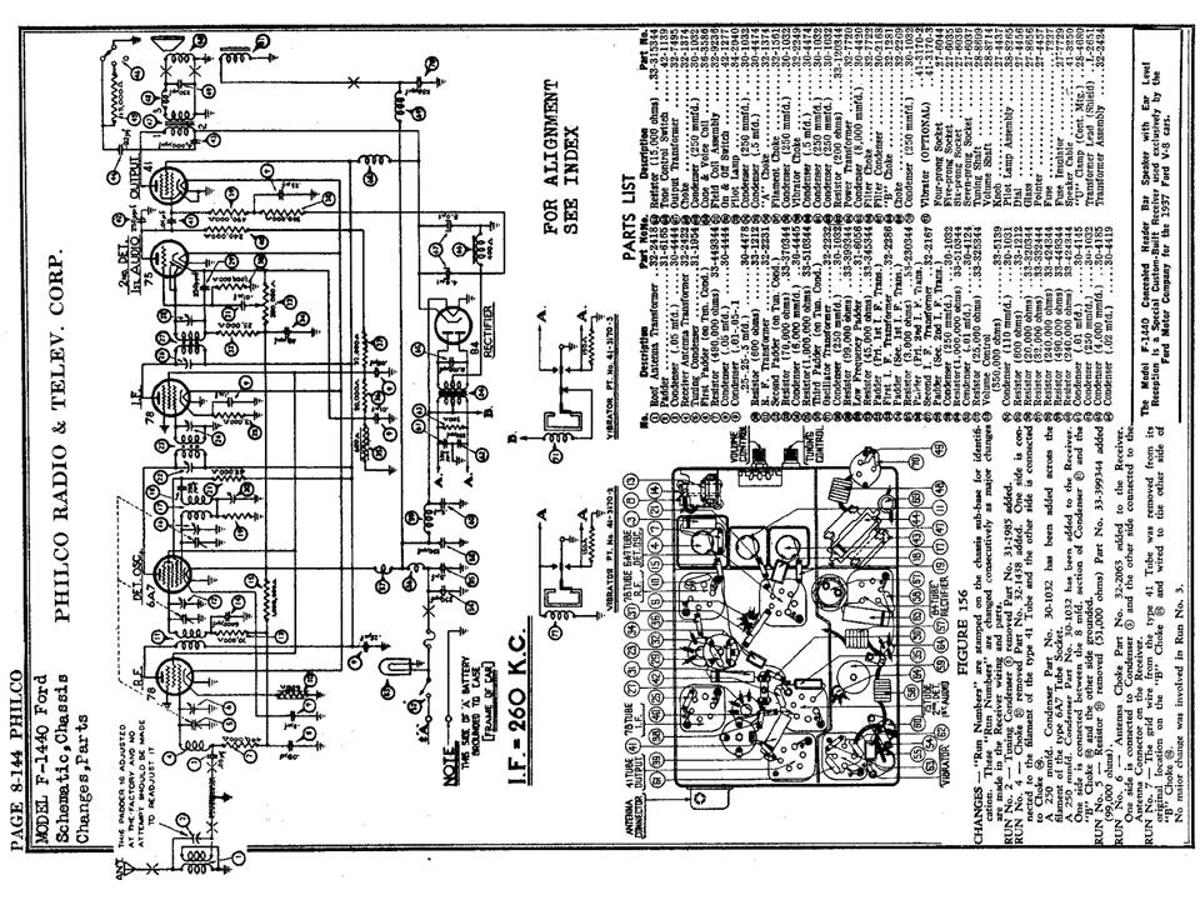
I have a 37 Fordor Deluxe with a stock Philco Model F-1440 radio. It is out of the car now, waiting for me to get off my duff and figure it out and at least power it up to see if it works. I have a schematic for just the radio itself, but nothing on how it wires into the car. When I took it out, all the wires were intact, so I should be able to back track and figure out where the wiring goes to/comes from. I doubt it will work, so am planning on sending it to one of the radio fix-it folks mentioned on this website. If I can be of help, let me know, we can figure this out together. It will motivate me to get going on this project.
I assume you have the radio control head, speaker, etc.
Gregg

TonyM
04-30-2019 @ 7:05 PM
Member
Posts: 464
Joined: Sep 2010
          
Ford Motor Company printed a radio install book for 1937 Ford.

The reproduction is available from Mac's and other on line vendors.


https://www.amazon.com/Radio-Installation-Reprint-Owners-Manual/dp/B00435FF4E

.
.
.
78-730B

jakes
05-01-2019 @ 4:39 AM
Member
Posts: 35
Joined: Feb 2018
          
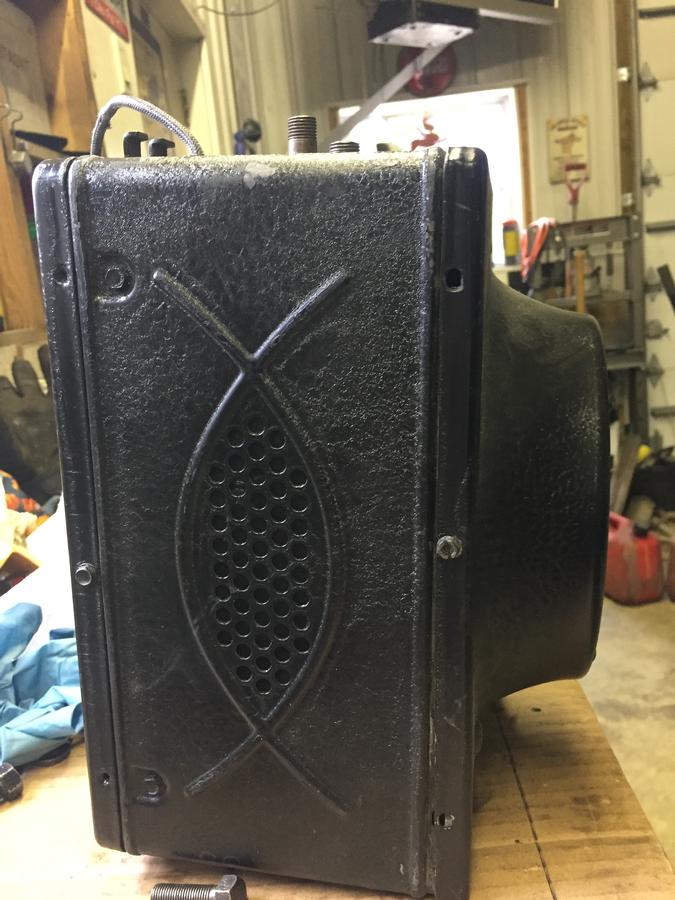
Gregg, thanks for your reply, and yes it's frustrating that information on this radio wiring is not to be found on the web. I do have all the components (except the toggle switch). The box that I have (Philco 816) does have the built in speaker since I have an open car. This box came with this project car and was not installed. It is very possible that this box has been rebuilt as it looks very clean inside/out and looks like new tubes were installed. Because yours is not installed, is there a possibility of providing photos of the control with wiring attached? Hope they do not find too much wrong with your radio.
Thanks again,
Jakes
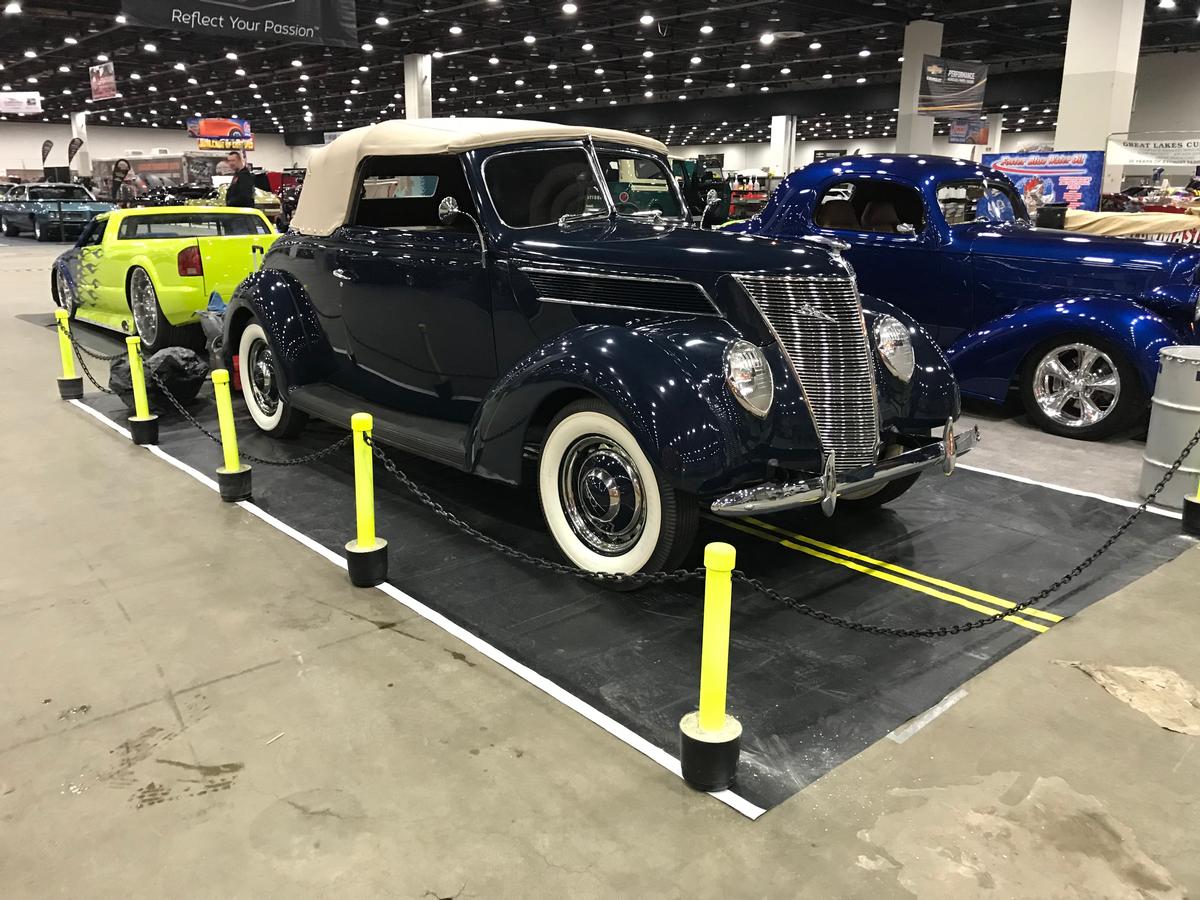
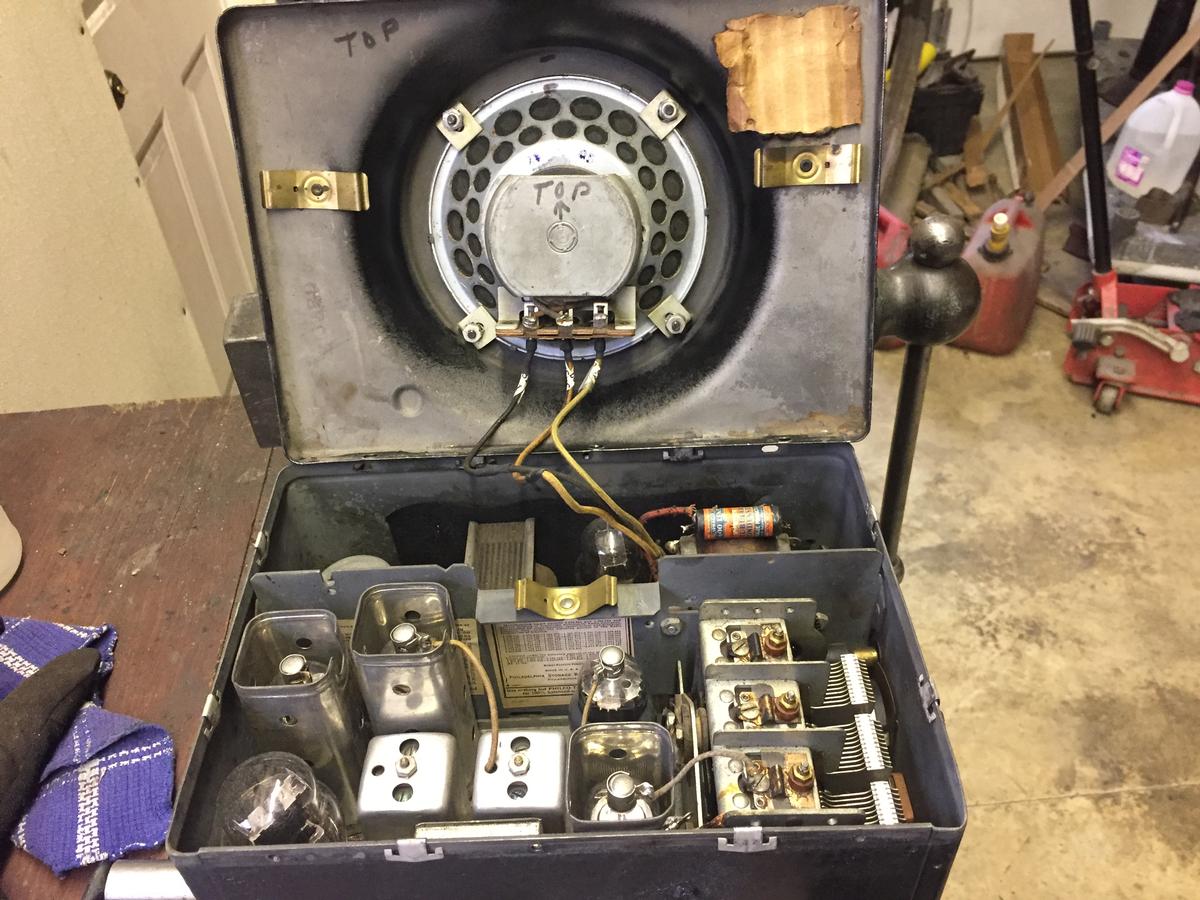
Have attached photos of my radio box and my car, which took a 1st. place trophy at the 2019 Detroit Autorama.

1937sedandelivery
05-01-2019 @ 12:50 PM
Senior
Posts: 501
Joined: Jul 2014
          
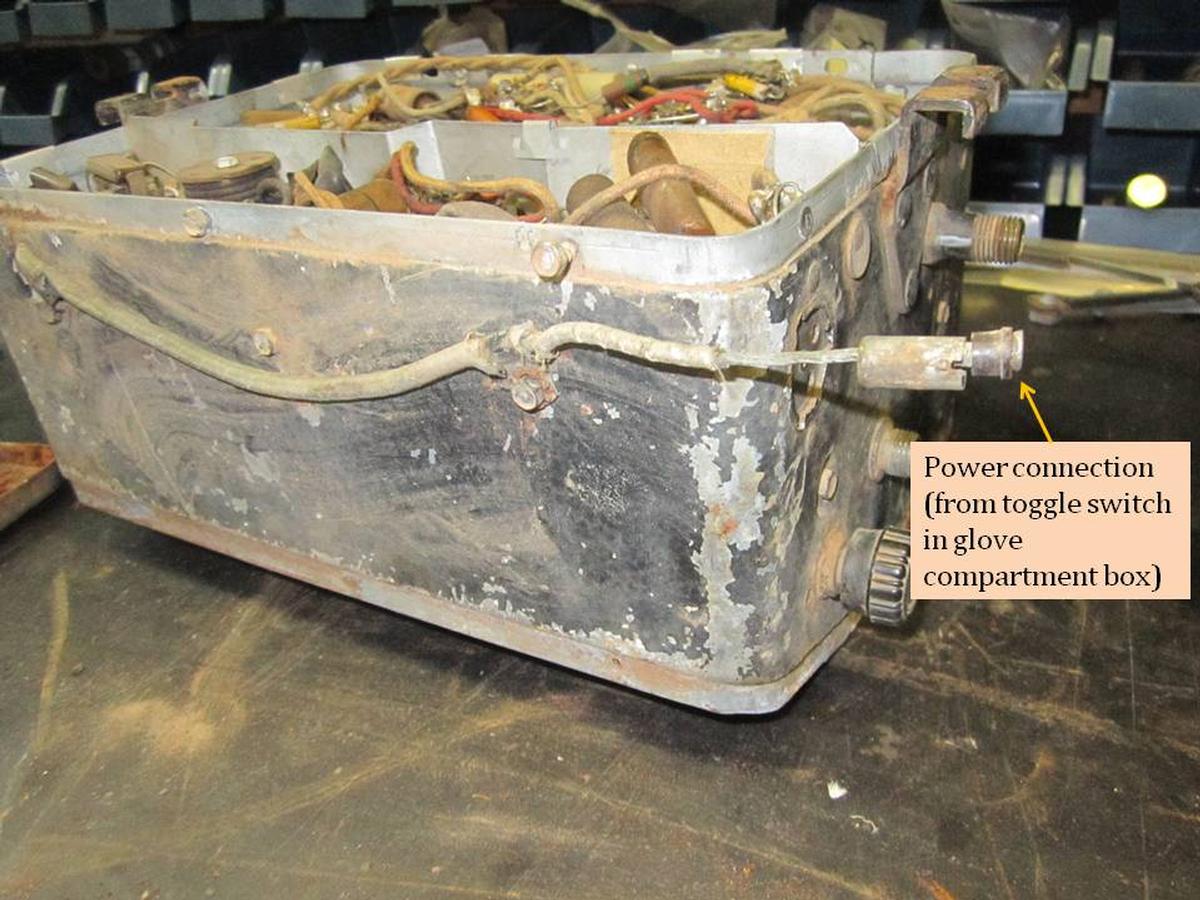
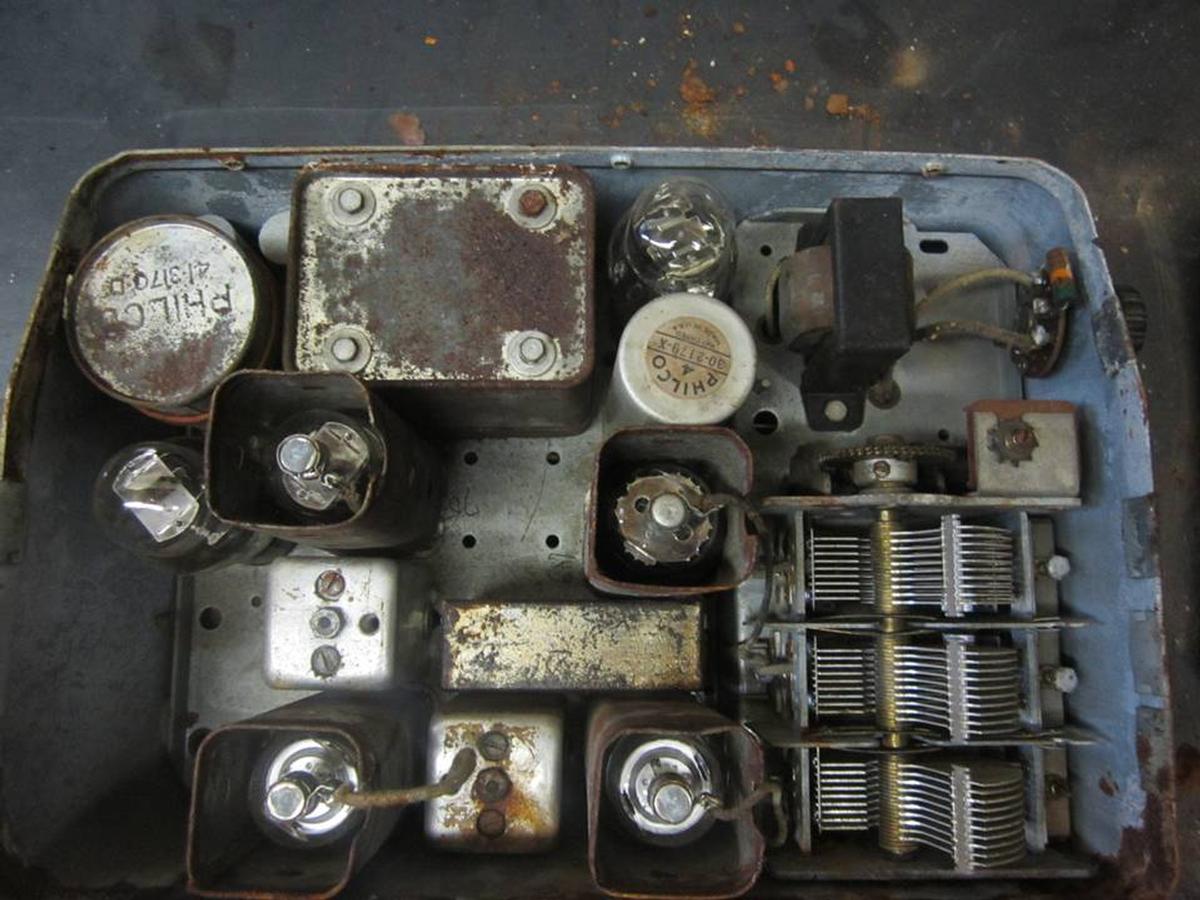
Am working on the pics...
here is what I have so far...

This message was edited by 1937sedandelivery on 5-1-19 @ 1:49 PM

1937sedandelivery
05-01-2019 @ 1:51 PM
Senior
Posts: 501
Joined: Jul 2014
          
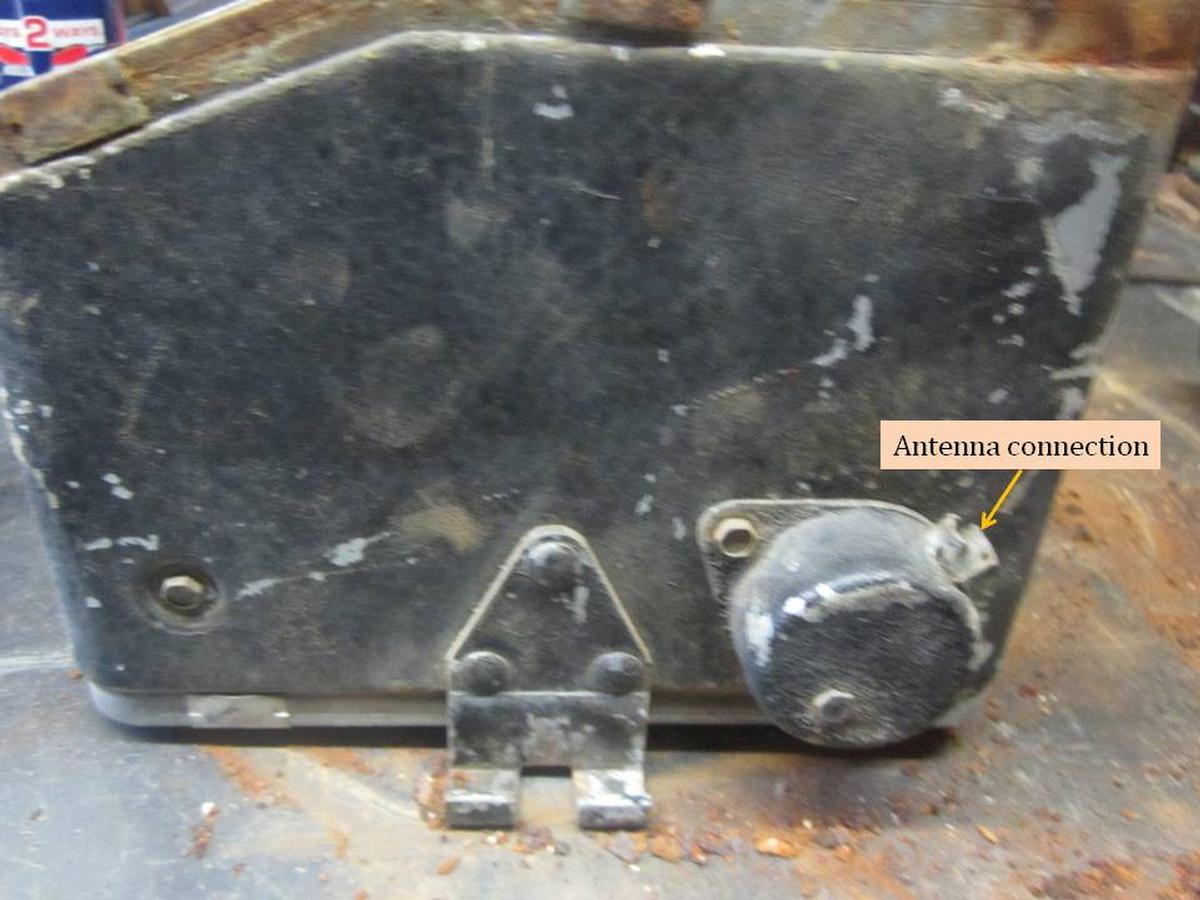
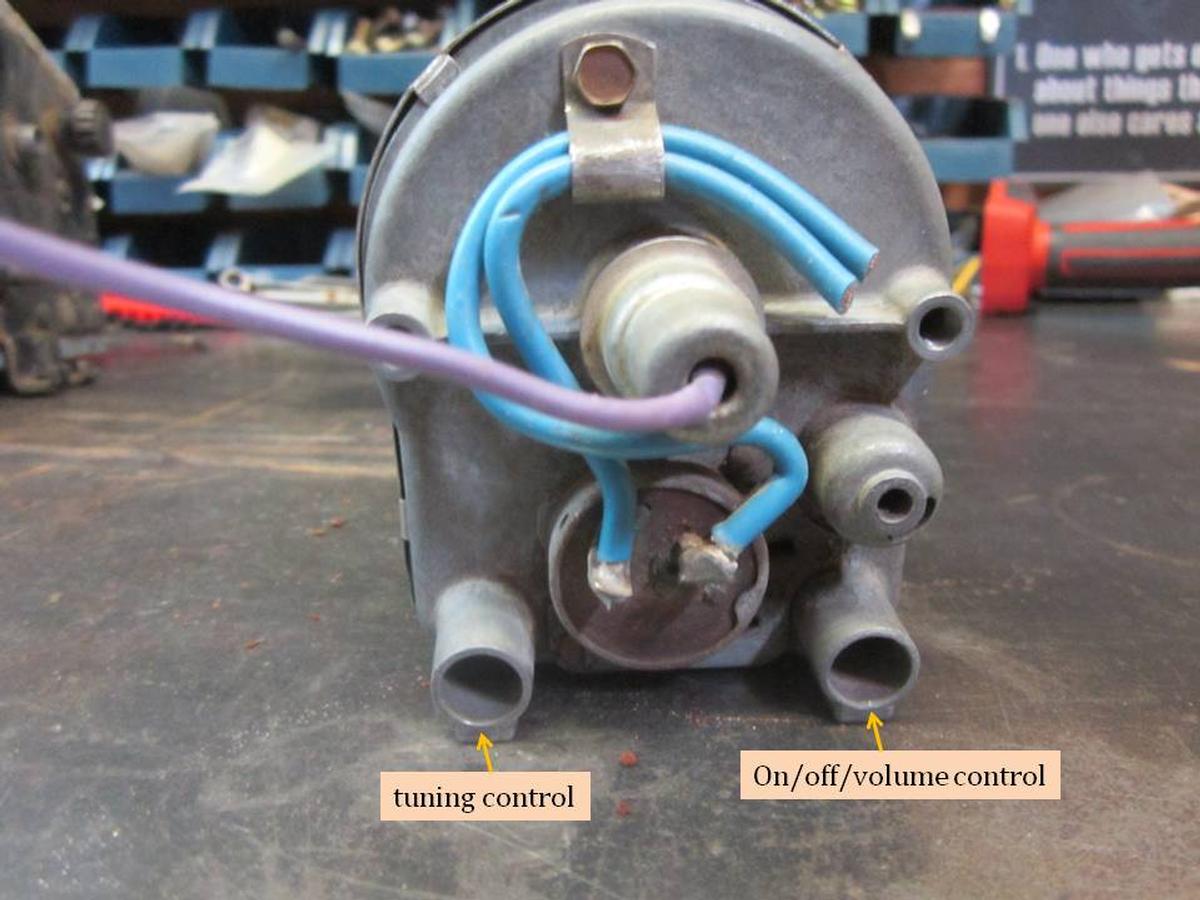
and a few more pics...
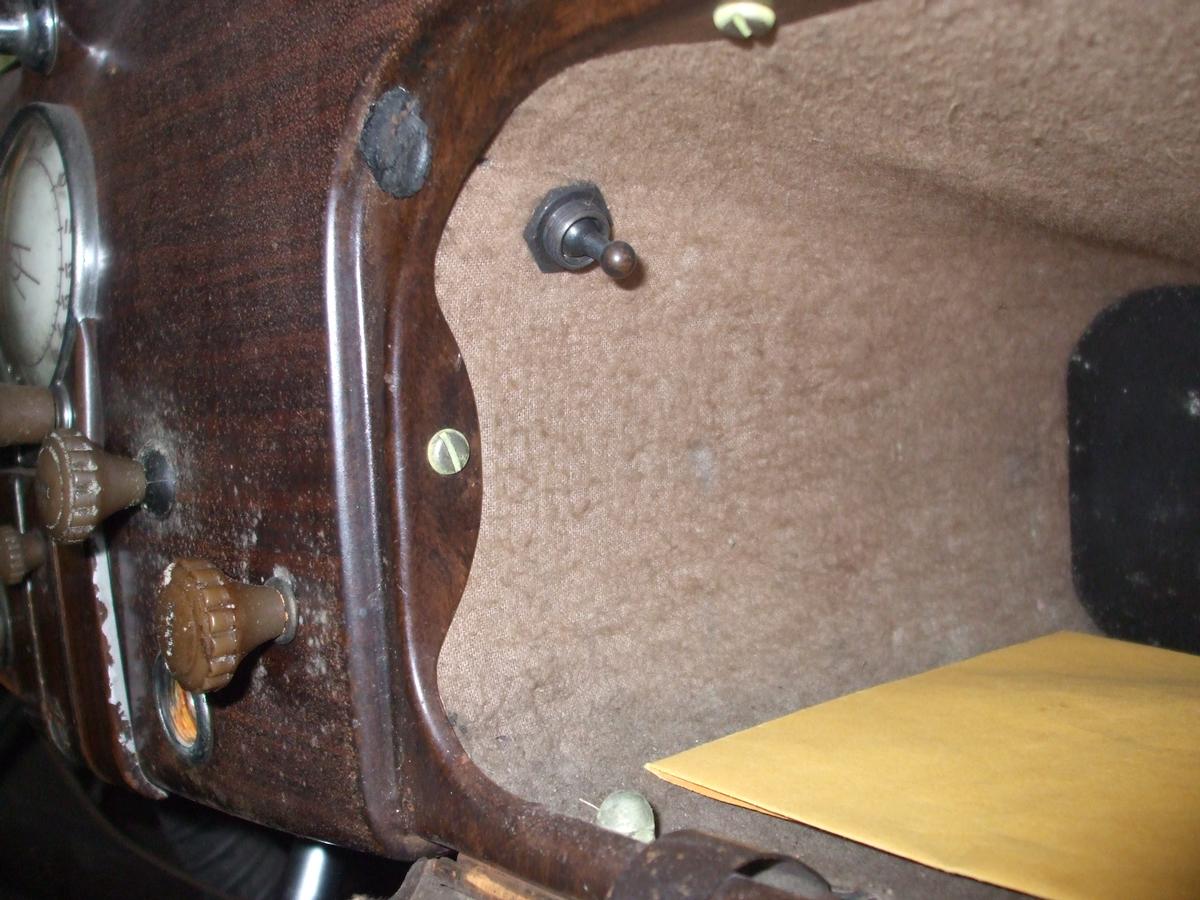
Let me know if you need more pics, e.g. the toggle switch in the glove box.
gregg

TonyM
05-01-2019 @ 6:17 PM
Member
Posts: 464
Joined: Sep 2010
          
1937 Ford Glove Box Radio Toggle Switch.


.
.
.
78-730B

1937sedandelivery
05-01-2019 @ 7:17 PM
Senior
Posts: 501
Joined: Jul 2014
          
I traced out the "hot" wire to the radio.
It starts at the fuse block (after the fuse).
From the fuse block to the toggle switch.
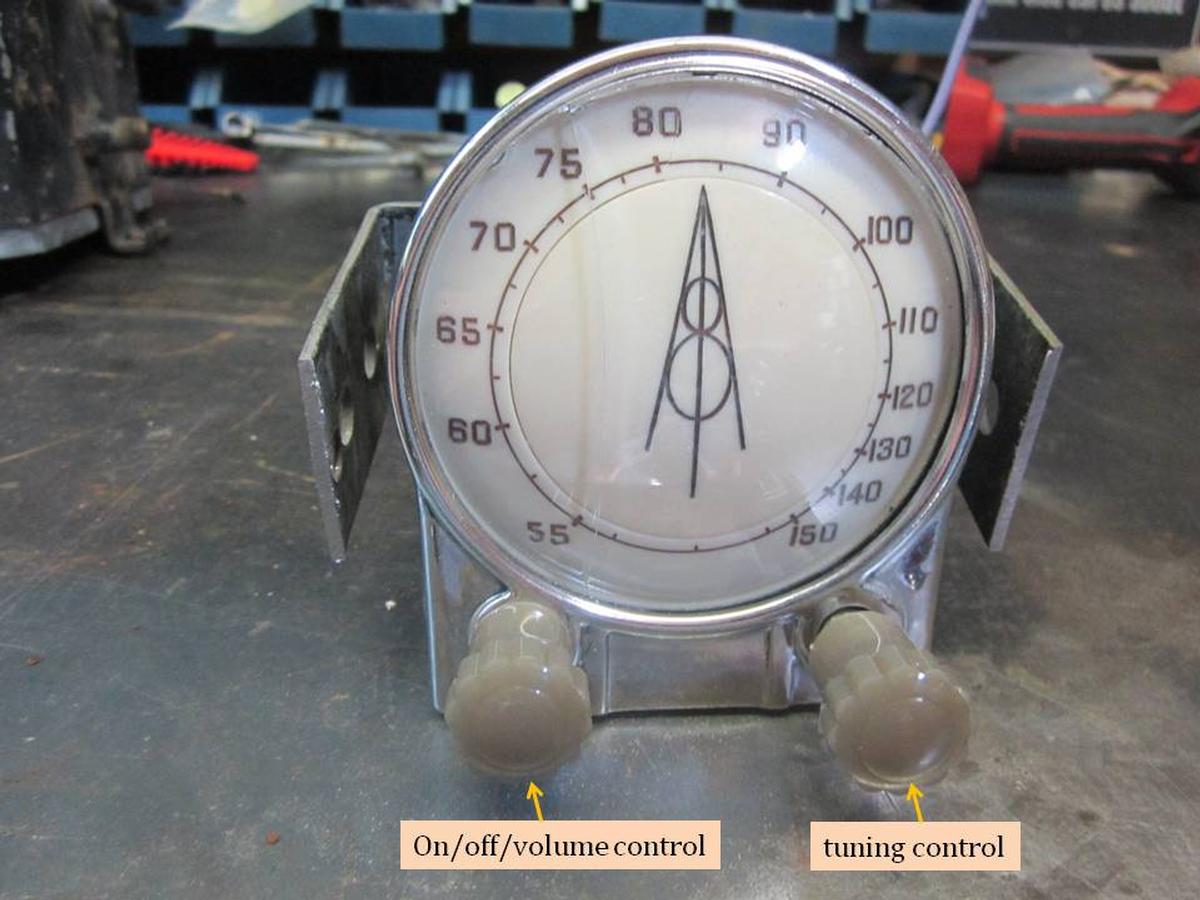
From the toggle switch to the radio head on/off switch.
From the on/off switch to an inline fuse holder (I was surprised, but it looks stock)
The other end of the fuse holder is connected to the radio's hot wire.

It appears to me that the fuse holder requires a special insulated fuse. I will probably replace it with a new modern one.

gregg

fenbach
05-01-2019 @ 10:06 PM
Member
Posts: 235
Joined: Dec 2009
          
a heads-up for Gregg. if you have the original 3-wire speaker harness with the 3-prong plug attached, just plug it in. otherwise BE CAREFUL. the voltage to one of the sockets is roughly 200DC. which will get your attention! set the radio on its side so that the 3-hole jack is towards the bottom. as best I recall, the socket on the right [closest to the tone knob] is the high voltage. the one at the left is audio [low voltage AC]. the one off by itself at the bottom is 6 volts DC for the speaker magnet. not used with a modern speaker. ground is the cable shield. check the DC voltages with a meter to be sure. my recollection could have shorted out.
and jakes, looks to me like the cover of your radio is off by 180 degrees. the 2 brass spring clips mounted to the cover should rest on the metal plate that spans the radio.
if the radios don't perform well, the capacitors and the vibrator probably need replacing. something i'd be glad to do. shipping back and forth would run nearly $100, tho.
bob

jakes
05-02-2019 @ 4:33 AM
Member
Posts: 35
Joined: Feb 2018
          
Gregg, thanks for all of your photos. The wiring on the back of the control of mine is a little different. Mine has the lamp wire soldered to one of the blue wires to the contacts. I guess either way will work. Being that my car is a convertible with the speaker built in, the boxes would be different. It won't be until next week that I'll have the time to wire it, but according to your description of the wiring , I should not have any problems. I'll let you know how it turns out. Thank you very much, you have been a big help.
Jakes

<< previous || next >> 
PAGE: 1 2


NOTE: YOU MUST BE A REGISTERED USER AND BE LOGGED IN TO POST (and reply to) messages in this forum. If you are a first time user, please click the CREATE A NEW ACCOUNT in the masthead above to register and Log In. After that, all you do is LOG IN to enjoy using this site.

DISCLAIMER: The V-8 Club does no independent testing of any of the opinions, thoughts or suggestions presented in the website on the Forum, in the Tech Tips section, or any section. A reader should consider the website to be a forum wherein differing solutions to a particular set of circumstances may be discussed. Ultimately, the selection of an item for an individual's vehicle must be based upon the independent study of the vehicle owner in consultation with people in the hobby and restoration experts.


EFV-8 Club Forum Home | Back to Home Page | Contact the Webmaster

Copyright © 2009 - EFV-8.org
Powered by < CF FORUM > v.2.1