LOGIN
  • Post to the EFV-8 Forum
  • Post Classified Ads
  • Shop the Online Store
User Login

Not Registered Yet? Click Here to Sign Up!


(Forgot your Password?)
Remember me on this computer

Not registered yet?
REGISTER NOW!

Back to Home Page Show Forum Rules

Early Ford V-8 Club Forum

FORUM RULES: Users agree to these Rules when using Forum.

The site administrator reserves the right to change the terms and conditions of the user agreement without prior notice to the user. It is the responsibility of the user to regularly review the terms of this agreement.

The user agrees to the following terms:

  1. All information that you provide to us for your membership is correct.
  2. You will not use your membership to spam, harrass, or exploit other members in any way.
  3. Vulgar, Abusive, Racist and Sexist Language will not be tolerated.
  4. Commercial-type sales postings will not be allowed.
  5. No mass posting or flooding of the boards is allowed.
  6. No Advertising of parts or cars; no Ebay or business/commercial ads (please use the "Classified" for ads Wanted or For Sale).
  7. VIEWING MULTIPLE TOPICS ON SCREEN: You can choose to see more than 10 Topics at a time ... Log In and choose "Preferences" from the top bar on the Forum page. Scroll down and Change the "Default Topics Returned" parameter to 25 or 50, and save the changes. Since this setting is stored in your browser 'cookies' (if enabled), it seems to use that stored value even if you are not logged in. So, if you use a PC that you haven't logged into the forum from, the setting still seem to remain at the default.
  8. EXTERNAL PHOTO LINKS ON FORUM: You can still use external photo links in your posts on the new forum. They follow the rules of any link in that they have to have the URL link qualified down to the full image file name (example: .jpg). The links will open in a new browser window, the same as an uploaded image attached to a post. Since an image attachment to any post does not display inline with the post, the results are the same. You can use multiple external links within a post. This link is from photos on a site from Don Clink's 'Deuce@75' albums:

    http://donclink.com/deuce_75_1/images/dscn2950.jpg

    Using links from photo sites such as Photobucket can help in "size" issue with uploaded attachment files. For best viewing in web browsers, photos should be around the 800x600 pixel range, and probably not more than 1024x768. Most cameras today store HUGE jpg image files, as the default settings are in the 7, 8, 10, and 12Mb image sizes. The image files that are then attached are very large, and the browser can't display the full image size without using the scroll bars. Use the re-sizing functions of your photo editing software to reduce the image to 800x600, which reduces the file sixe and the image load time in the browser. Don uses Google's free Picassa3 software, which is an excellent photo management product. All of the photo albums of the Deuce, Grand National, and Auburn that are links on the NORG site were built using Picassa's web creation functions. And it's free? (THANKS to Don Clink for the info!)
  9. HOW DO I SHOW MY EMAIL ADDRESS ALONG WITH MY USERNAME? You can LogIn on the Forum, and select PREFERENCES. On this page Members can add optional information such as their City,State, Country; Occupation; Hobbies: list a Homepage; list AOL Instant Messanger Handle; Signature; "Make Email Address viewable to others;" and even change the number of Default Topics shown on a page. WHEN others click on your profile, they will see this information.

EFV-8 Club Forum / General Ford Discussion / Steering Gear Setup

   Reply to this DiscussionReply to Discussion | Start new discussionNew Discussion << previous || next >> 
Posted By Discussion Topic: Steering Gear Setup -- page: 1 2

Printer-friendly Version  send this discussion to a friend  new posts first

TomO
10-02-2020 @ 8:06 AM
Senior
Posts: 7386
Joined: Oct 2009
          
Page 128 of the Service Manual, 5th paragraph in left column: "The steering wheel and the steering shaft are splined to the steering shaft and the sector shaft, respectively."

Page 131 of the Service Manual : "NOTE: the Steering Arm should be installed pointing straight back when the wheel spokes are in the horizontal position and the the worm is at the midpoint of travel."

If yours are keyed, it appears that you may have incorrect parts installed.


Tom

sarahcecelia
10-02-2020 @ 5:42 AM
Senior
Posts: 1196
Joined: Mar 2013
          
37RagTopman; You are not mising anything, you are correct!

Regards, Steve Lee

sarahcecelia
10-02-2020 @ 5:41 AM
Senior
Posts: 1196
Joined: Mar 2013
          
Mine only has about 7-8 turns lock to lock., total.

Regards, Steve Lee

sarahcecelia
10-02-2020 @ 5:30 AM
Senior
Posts: 1196
Joined: Mar 2013
          
I Shimmed The top of the box with the proper paper gaskets to attain proper shaft bearing pressure, and installed a new sector gear and seal.
By the way, If my memory is right, the pitman arm only goes on where the sector shaft is KEYED, and it is pointing straight back, parallel to the frame rails like it is supposed to! If I put the steering wheel at an even number of turns, right and left, the steering wheel spokes would not only be "Cocked,"the pitman arm would not be pointing straight back, parallel to the frames, and you can't take it off and put it on that way, because as I previously stated;I think it is it is KEYED to the sector shaft, and only goes on in one position! With the wheels straight ahead, the steering wheel is in it's proper position, and the steering does go full right, and left,(hits the stops) so I guess the only answer is to just leave it alone. Does anyone have a pitman arm that is not installed , that can tell me if it is keyed, or splined, to save me The hassle of removing mine to see? Thanks if you do and tell me!

Regards, Steve Lee

This message was edited by sarahcecelia on 10-2-20 @ 5:39 AM

51woodie
10-01-2020 @ 11:44 AM
Senior
Posts: 561
Joined: Jan 2017
          
Steve. I may have missed something in reading these posts, but when I look in the parts book, the steering arm looks to be splined, and no key is shown. Is it possible that the arm is off by one or two teeth?

37RAGTOPMAN
10-01-2020 @ 11:27 AM
Senior
Posts: 1992
Joined: Oct 2009
          
HI Steve
looks like you need to center the steering wheel and the adjust your tie rods, to get the correct toe,
with the steering wheel centered
there is a tool to hold the wheel centered,
you can try your local WHEEL ALIGNMENT SHOP,
for help
my 2 cents 37Ragtopman

sarahcecelia
10-01-2020 @ 11:17 AM
Senior
Posts: 1196
Joined: Mar 2013
          
Tha steering wheel has a "KEY WAY," thus, it will only go on in ONE POSITION!!

Regards, Steve Lee

37RAGTOPMAN
10-01-2020 @ 8:07 AM
Senior
Posts: 1992
Joined: Oct 2009
          
hi Steve
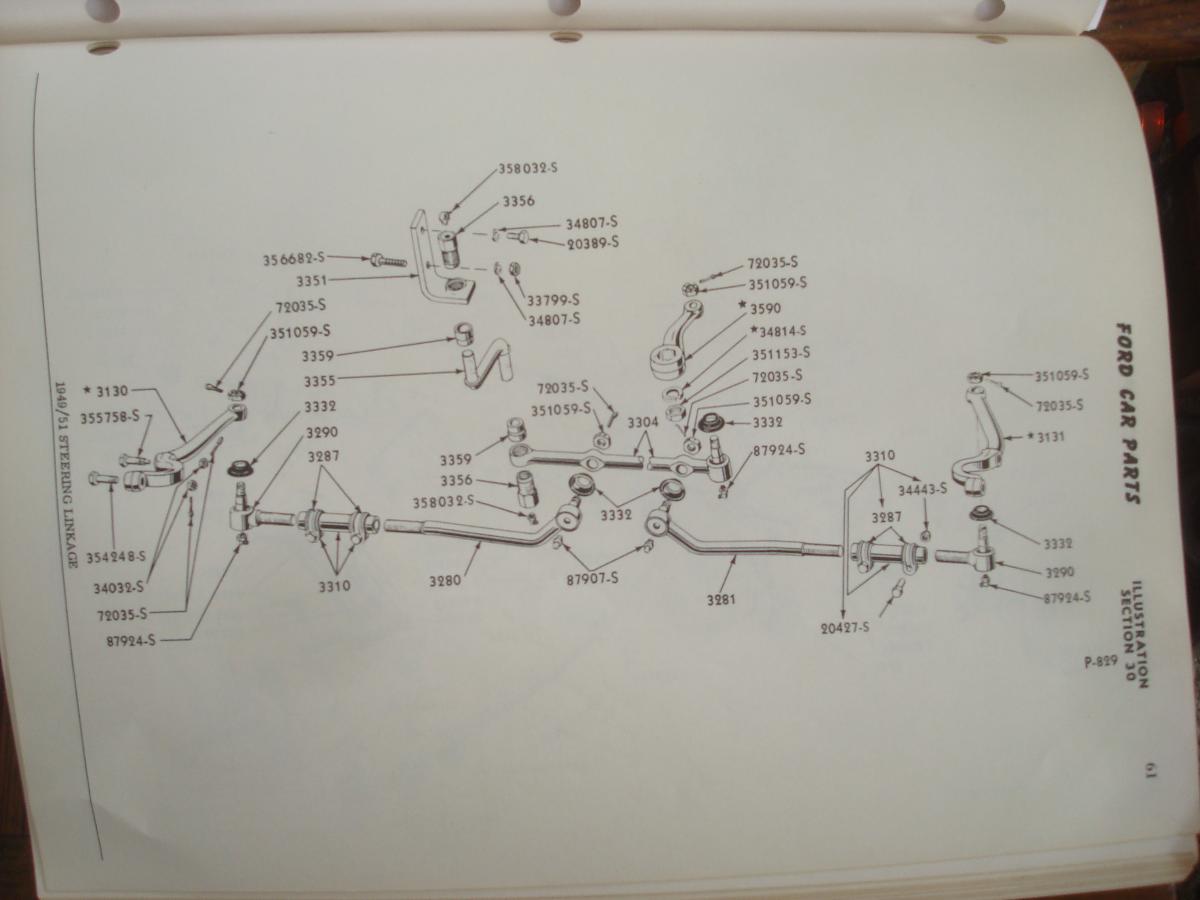
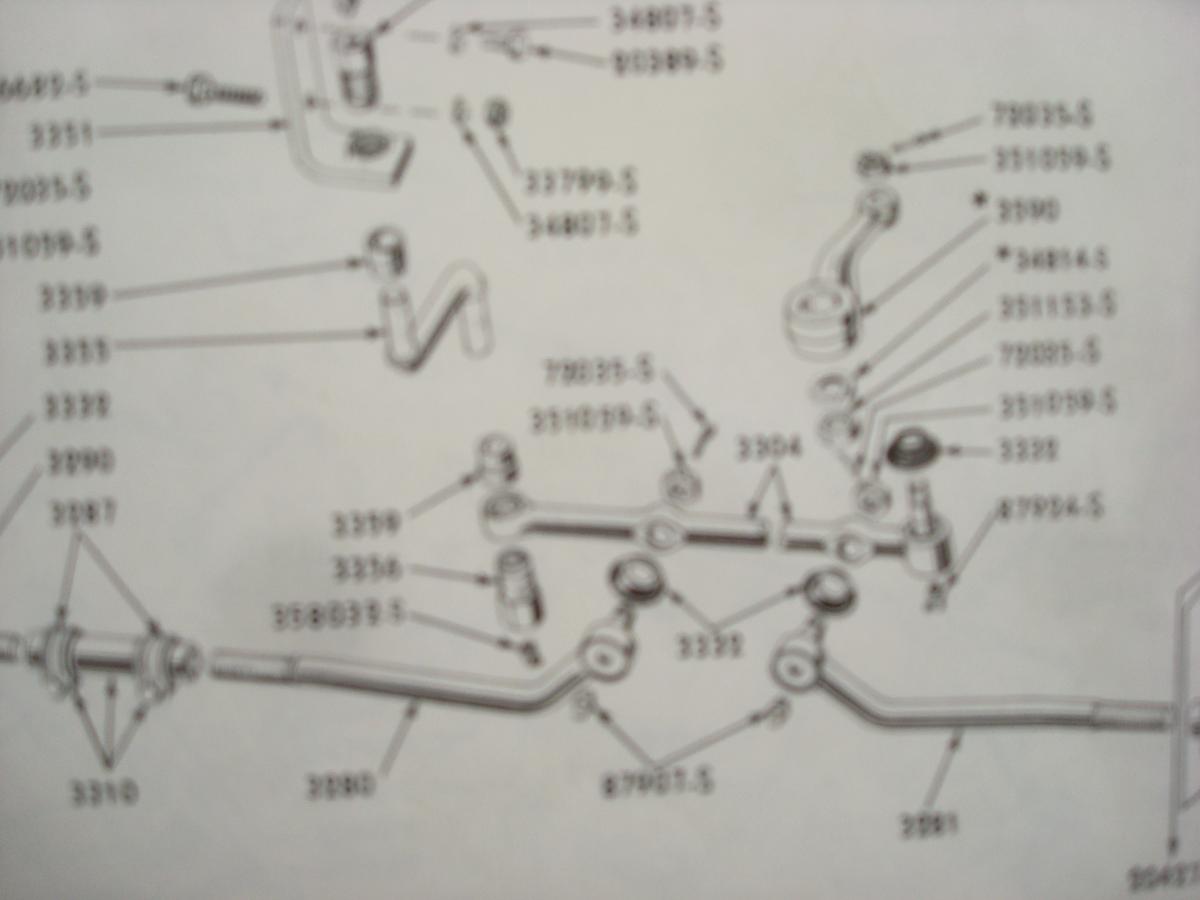
I have a genuine FORD MANUAL for the 1949 1950 1951
and supplied 2 photos of the steering linkage,
seems to me the only toe in adjustment is with the tie rod adjustment,
the drag link seems it is not adjustable,
but maybe I am missing something,?
hope this helps,37Ragtopman

This message was edited by 37RAGTOPMAN on 10-1-20 @ 8:10 AM

TomO
09-30-2020 @ 9:11 AM
Senior
Posts: 7386
Joined: Oct 2009
          
Follow the instructions in the Service manual

Count the turns lock to lock and move the steering wheel to the center endearment. (22 turns lock to lock, wheel is at 11 turns in each direction. Do NOT pay attention to the steering wheel spoke position. Tie the steering wheel in position so it will not move while you adjust the pitman arm.
Check the pitman arm position, it should be in the straight ahead position, if it is off to one side or the other remove and center it.
Drive the car so that the wheel are in the straight ahead position
Check the position of the steering wheel, If the spoke are not in the horizontal position, turn them to the horizontal position and them mark the adjusting sleeve and tube with a scribe. This will be the starting position of the adjustment.

If the left spoke was down when driven, adjust both sleeves downward the same amount. One complete turn of the sleeve is equal to 1" of spoke position. Both sleeves must be adjusted the SAME amount. If the left spoke was above center turn both sleeves up to correct the wheel position.

Recheck your toe in adjustment and adjust the tie rod end sleeves equaly to bring it with in specs.

Tom

37RAGTOPMAN
09-29-2020 @ 1:28 PM
Senior
Posts: 1992
Joined: Oct 2009
          
HI Steve
I think you have to center your steering wheel [ this should be the center of the steering box,] if it has key way, and not splines
,. and then adjust your toe, using both tie rods,
so your toe is correct,
this way you steering wheel will be straight,
if it has splines you could remove the steering wheel and put in the straight ahead position,
hope this helps, 37Ragtopman

This message was edited by 37RAGTOPMAN on 9-29-20 @ 2:41 PM

<< previous || next >> 
PAGE: 1 2


NOTE: YOU MUST BE A REGISTERED USER AND BE LOGGED IN TO POST (and reply to) messages in this forum. If you are a first time user, please click the CREATE A NEW ACCOUNT in the masthead above to register and Log In. After that, all you do is LOG IN to enjoy using this site.

DISCLAIMER: The V-8 Club does no independent testing of any of the opinions, thoughts or suggestions presented in the website on the Forum, in the Tech Tips section, or any section. A reader should consider the website to be a forum wherein differing solutions to a particular set of circumstances may be discussed. Ultimately, the selection of an item for an individual's vehicle must be based upon the independent study of the vehicle owner in consultation with people in the hobby and restoration experts.


EFV-8 Club Forum Home | Back to Home Page | Contact the Webmaster

Copyright © 2009 - EFV-8.org
Powered by < CF FORUM > v.2.1